Build a Go Plugin
Build, package, and use a tiny Storyden plugin in Go.
This tutorial builds a very serious enterprise integration called reactbot.
It does one thing:
- listens for
EventThreadReplyCreated - reacts to each new reply with a fire emoji (
\U0001F525)
No dashboard. No AI. No blockchain. Just a useful bot with commitment issues.
What you will build
By the end you will have:
- a working Go plugin in
main.go - a manifest in
manifest.yaml - a local development workflow (External mode)
- a package flow for Supervised installs (
manifest.json+ binary in.zip)
If you have not read the architecture docs yet, do that first:
1. Create the plugin manifest
Create manifest.yaml:
id: reactbot
name: React Bot
author: Southclaws
description: React to every new thread reply with a fire emoji.
version: 1.0.0
command: "./reactbot.exe"
events_consumed:
  - EventThreadReplyCreated
access:
  handle: reactbot
  name: React Bot
  permissions:
    - CREATE_REACTION
What matters here:
events_consumedsubscribes the plugin to reply creation eventsaccess.permissionsasks forCREATE_REACTIONso API calls can add reacts (see Permissions)commandis the supervised runtime entrypoint (./reactbot.exeon Windows,./reactboton Mac/Linux)
2. Implement the plugin with the Go SDK
Walk through the key components to a plugin, then check out the full code at the end.
Setup
This prepares the plugin to connect to the Storyden instance based on the STORYDEN_RPC_URL environment variable. If anything isn't set up right, this will return an error.
plugin, err := storyden.New(ctx)The context you pass in here should be the main context for your plugin, which is canceled when the plugin is stopped. This ensures that any long-running operations are properly cleaned up on shutdown.
Events
You register events after creating the plugin instance, but before calling Run. This ensures you don't miss any events that come in as soon as the plugin starts.
plugin.OnThreadReplyCreated(func(ctx context.Context, event *rpc.EventThreadReplyCreated) error {
	// event handling logic here
})
Start the Plugin
And that's it! All you need to do now is call Run! This will block until the plugin is stopped, either by an interrupt signal or by an error. If it returns an error, the plugin failed to start or encountered a runtime error.
plugin.Run(ctx)API client
Once you're connected, you can build an authenticated API client to make calls back to the host. This is where you get access to the permissions you declared in the manifest.
You must call Run before calling BuildAPIClient. This is because the RPC
connection to the host is not established until Run is called. If you try to
build an API client before Run, it will fail because there is no connection
to the host yet.
client, err := plugin.BuildAPIClient(timeoutCtx)For example, you can add a reaction to a post:
client.PostReactAddWithResponse(ctx, postID, openapi.PostReactAddJSONRequestBody{
	Emoji: fireEmoji,
})
Now check out the Full code tab for the complete implementation with API calls and logging.
What this demonstrates:
- event handler registration via
OnThreadReplyCreated - plugin-to-host access bootstrap via
BuildAPIClient - normal authenticated API usage via
PostReactAddWithResponse
3. Run it as an External plugin (fast dev loop)
This is the easiest way to iterate.
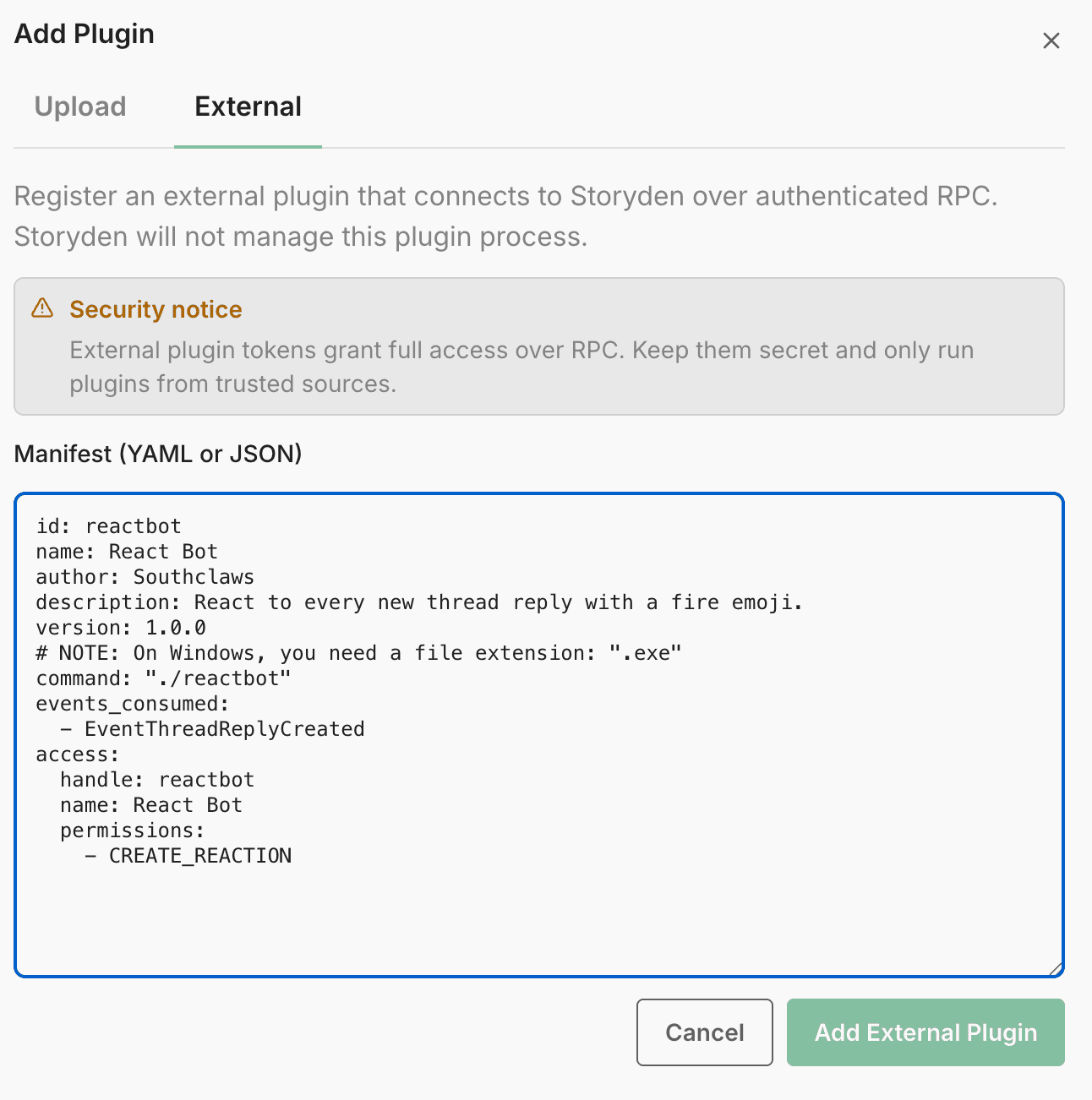
- In Storyden, go to Admin -> Plugins tab.
- Add a new plugin in External mode.
- Paste the manifest contents from
manifest.yaml.
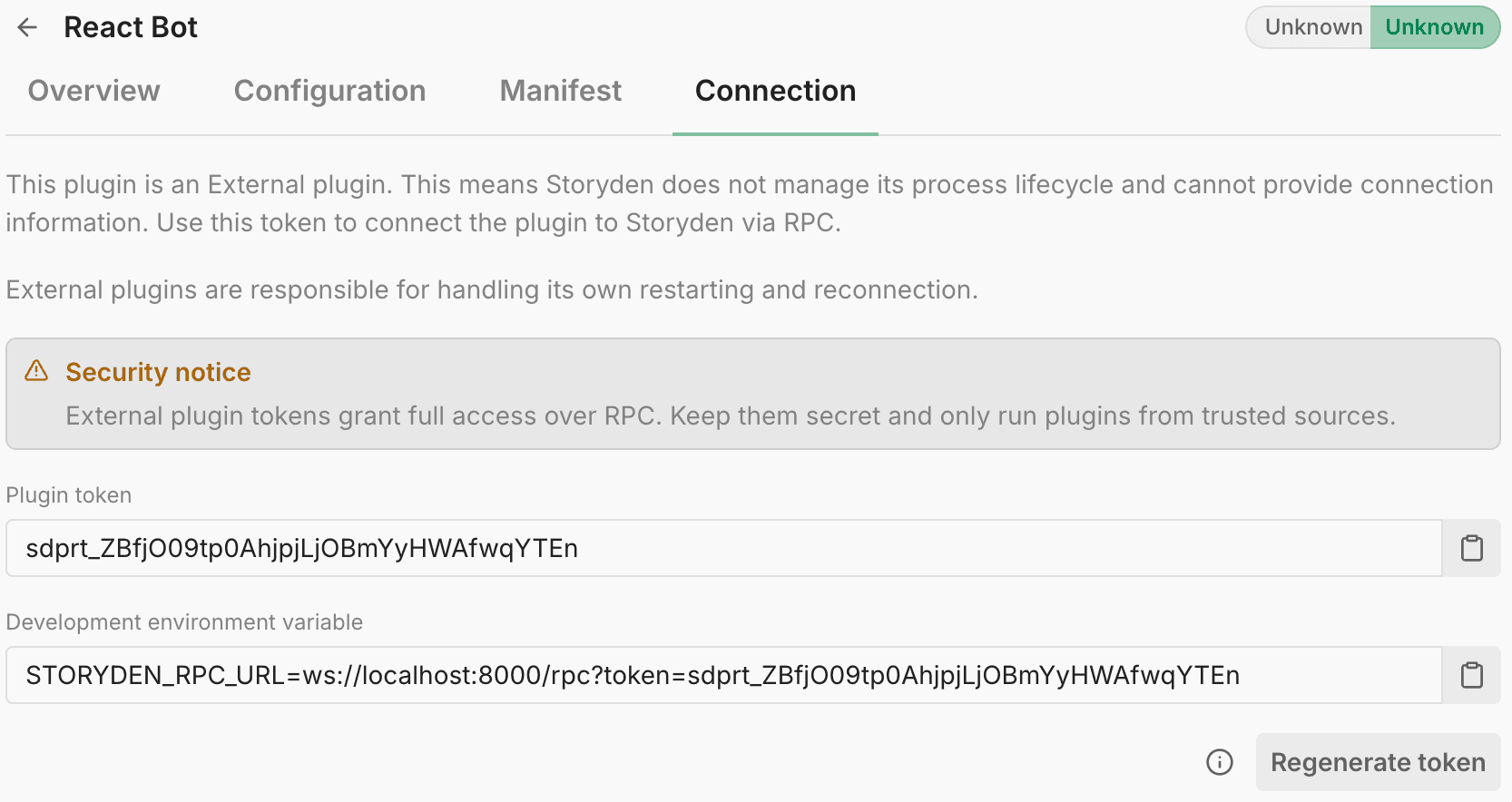
- Open the plugin Connection tab and copy the
STORYDEN_RPC_URL=...value.
- Set the environment variable and run the plugin:
$env:STORYDEN_RPC_URL='ws://localhost:8000/rpc?token=...'
go run .
You'll see the plugin's status flip to a cool spinning animation to indicate it's alive.

Now create a reply in a thread. If permissions and connection are good, the plugin account adds a fire reaction.
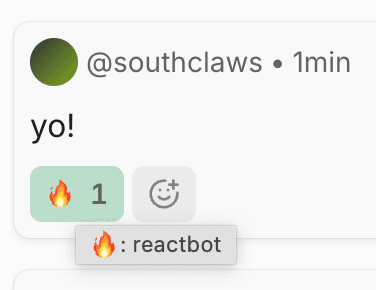
The development cycle is pretty normal, try make some changes, restart the plugin and see it do its thing.
3.5. Updating the Manifest
If you need to subscribe to more events or request more permissions, you can update the manifest in the Admin UI and restart the plugin without needing to repackage. This is a nice advantage of External mode for development.
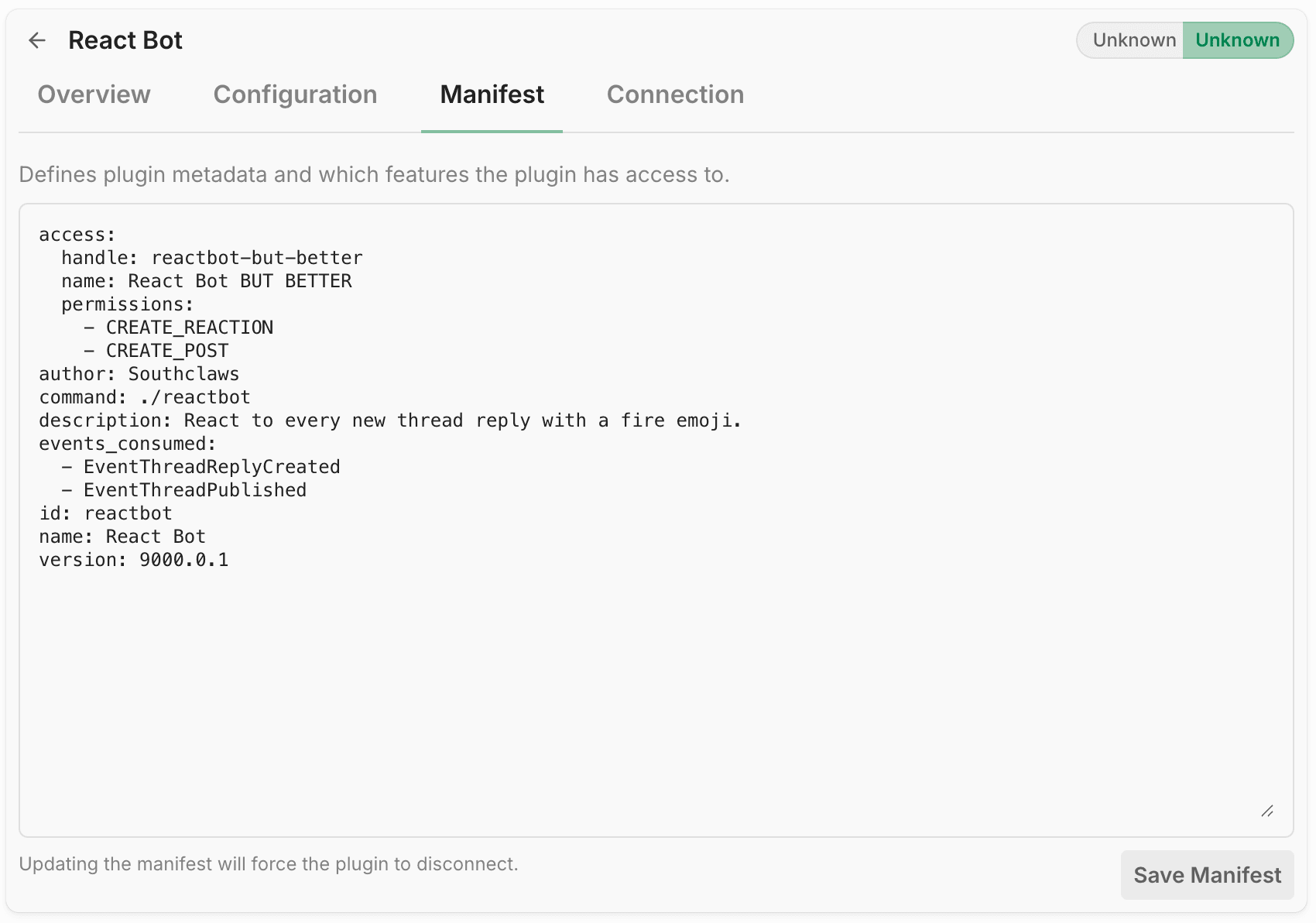
But if you're only changing your own code and logic, you can just do your changes and restart your plugin without touching the manifest at all.
4. Package for Supervised runtime
Supervised plugins are uploaded as .zip archives containing:
manifest.json(required)- plugin binary
From your plugin project root:
# Windows -> Windows
$env:CGO_ENABLED='0'
$env:GOOS='windows'
$env:GOARCH='amd64'
go build -o reactbot.exe main.go
If your Storyden machine is arm64, swap GOARCH=amd64 for GOARCH=arm64.
Convert manifest.yaml to JSON:
yq -o=json manifest.yaml | Set-Content -Encoding utf8 manifest.jsonNo yq? Same thing in Nu:
(open manifest.yaml | to json) | save --force manifest.jsonCreate the archive:
Compress-Archive -Path manifest.json,reactbot.exe -DestinationPath reactbot.zip -ForceInstall reactbot.zip in Admin -> Plugins tab as a Supervised plugin.
5. Distribute and use
Distribution for this plugin is literally shipping reactbot.zip plus a short README saying:
- what it does
- what permissions it requests (
CREATE_REACTION) - which events it consumes (
EventThreadReplyCreated) - how to run it (external) or install it (supervised)
Be a good netizen
Always open source distributed plugins. Supervised plugins may run in non-sandboxed environments. Thus, every Storyden instance warns operators about the potential risks.

It's good practice to be transparent about what your plugin does and which permissions it requests, so operators can make informed decisions about whether to install it or not.
Usage is not complicated:
- Install plugin
- Enable plugin
- Post a reply
- Observe immediate bot enthusiasm in the form of one fire reaction
Next steps
Once this works, the common upgrades are:
- skip reacting to replies from the plugin account itself
- make emoji configurable via
configuration_schema - add rate limiting/backoff if your community is very active