Moderation
Keep everyone in check, effortlessly, with Storyden's powerful moderation tools.
Storyden includes a set of moderation tools for handling member behaviour, content reports and basic abuse prevention.
Moderation features are permission-gated through Roles and Permissions, so you can decide exactly who is allowed to review reports, leave internal notes, issue warnings or suspend accounts.
Account moderation
Warnings are internal account records. Staff with MANAGE_WARNINGS can issue, edit and delete them, and members may view their own warning history. Warnings are never public, and issuing one sends the target member a notification and creates an audit log entry.
Moderator notes are separate from warnings. Notes are staff-only and always keep the author and timestamp for auditing. Staff with VIEW_MODERATION_NOTES can read them, while MANAGE_MODERATION_NOTES allows creating and deleting them.
Suspensions are a soft-delete style account action. Staff with MANAGE_SUSPENSIONS can suspend or reinstate an account. A suspended member cannot sign in, but the account itself stays on record so existing content and profile references do not break.
Member content can also be purged from the profile page by a member with ADMINISTRATOR permission. This is a hard delete that removes the specified types of content authored by the account.
Reports
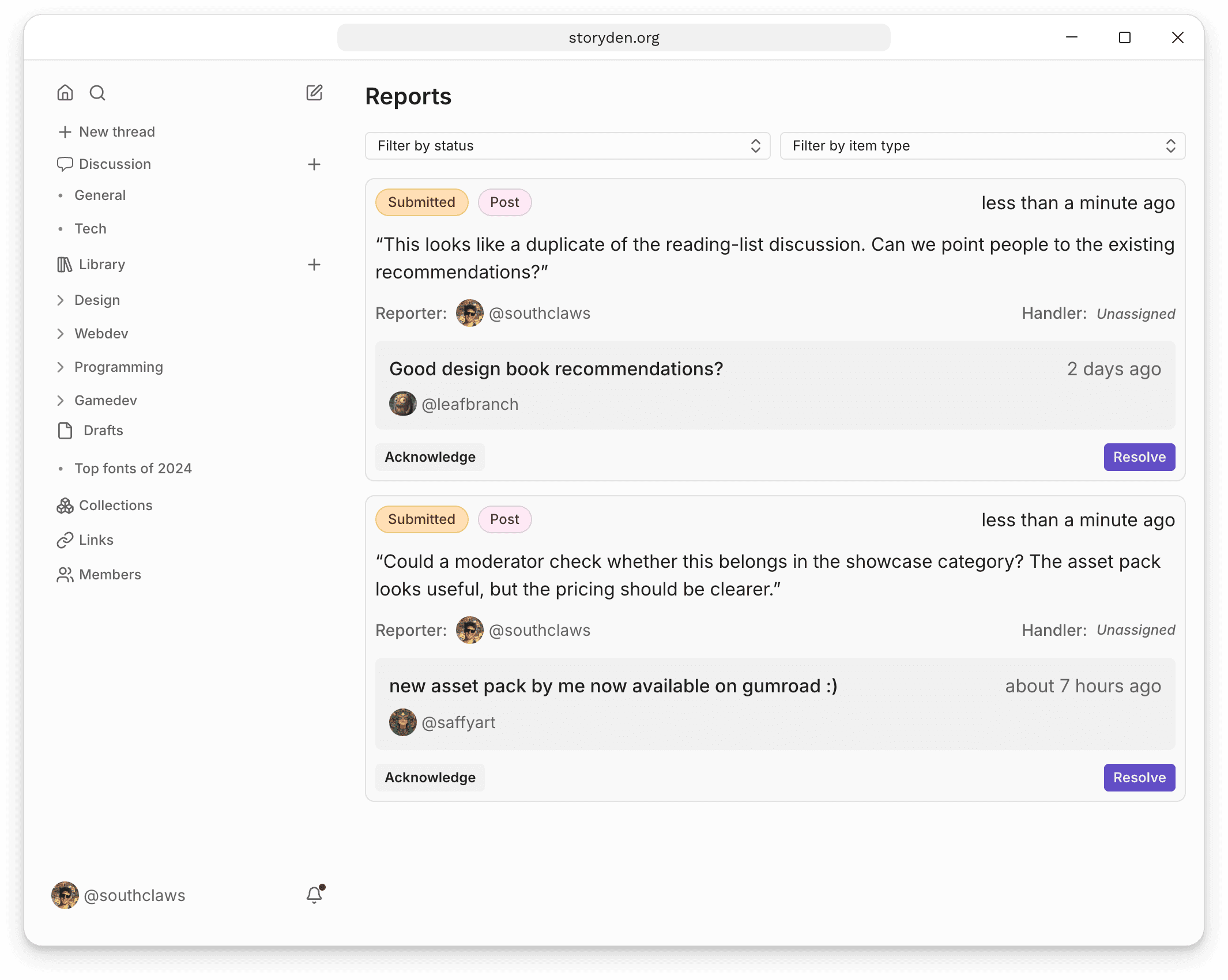
Members can submit reports for content or member profiles. Regular members only see reports they submitted themselves. Staff with MANAGE_REPORTS can review all reports, acknowledge them, assign a handler and resolve them.
Members with report-handling permissions are notified when new reports are submitted, and reporters can be notified when staff update a report.
Open Account menu → Reports to review the queue. Filter by status or item type, then use Acknowledge or Resolve on a report as you handle it.
Basic spam controls
The Moderation settings screen includes a few simple built-in controls for obvious abuse:
- Maximum lengths for thread bodies, reply bodies and member signatures
- A
word_block_listthat rejects posts without creating a report - A
word_report_listthat automatically reports and hides posts containing matched words or phrases
These tools work well for obvious spam and repeated low-effort abuse, but they are best used alongside human review rather than instead of it.
More advanced content moderation can be implemented via plugins.
Robots can also use moderation tools, subject to the account's permissions. Trails can run a Robot on a schedule or when an event such as a new report occurs, with results kept in run history for review.
Rate limiting
Storyden includes IP-based rate limiting to reduce scraping, brute-force attempts and other bursty abuse. It uses a sliding-window counter, can apply a higher cost to guests than signed-in members, and supports per-operation cost overrides in the System settings screen.
If you run Storyden behind proxies or use the official SSR frontend, client IP forwarding matters. Accurate client IP resolution keeps rate limits and abuse controls tied to the real visitor rather than your proxy or frontend server.
See also: