Robots
Optional AI tools for the people looking after your community.
Robots are Storyden's optional AI assistants. They can help your team find information, curate the Library and work with community content. You can chat with Denbot, create a specialist for a particular job, or use Trails to run a task automatically.
The forum, Library and ordinary moderation tools work without Robots. On a fresh installation, start with Set up Robots to connect a model provider and choose who can use it.
For the people looking after the community
Robots are generally intended for administrators, moderators and other trusted members with elevated privileges. They use the operator's model-provider credits and can act on community content, so making them available to everyone can introduce cost and abuse problems. Access is controlled through roles; start with your team and extend it deliberately.
Robot conversations are shared with members who have the Use robots permission. Multiple members can participate in the same session at the same time: a group chat with one Robot. They are a shared working area, not private personal chats.
Find, understand and work with your content
A Robot can find useful Library pages, read a discussion and help prepare a summary, or use the tools you assign to carry out a more specific task. Tool calls and linked sources stay with the conversation so you can inspect how it reached an answer.
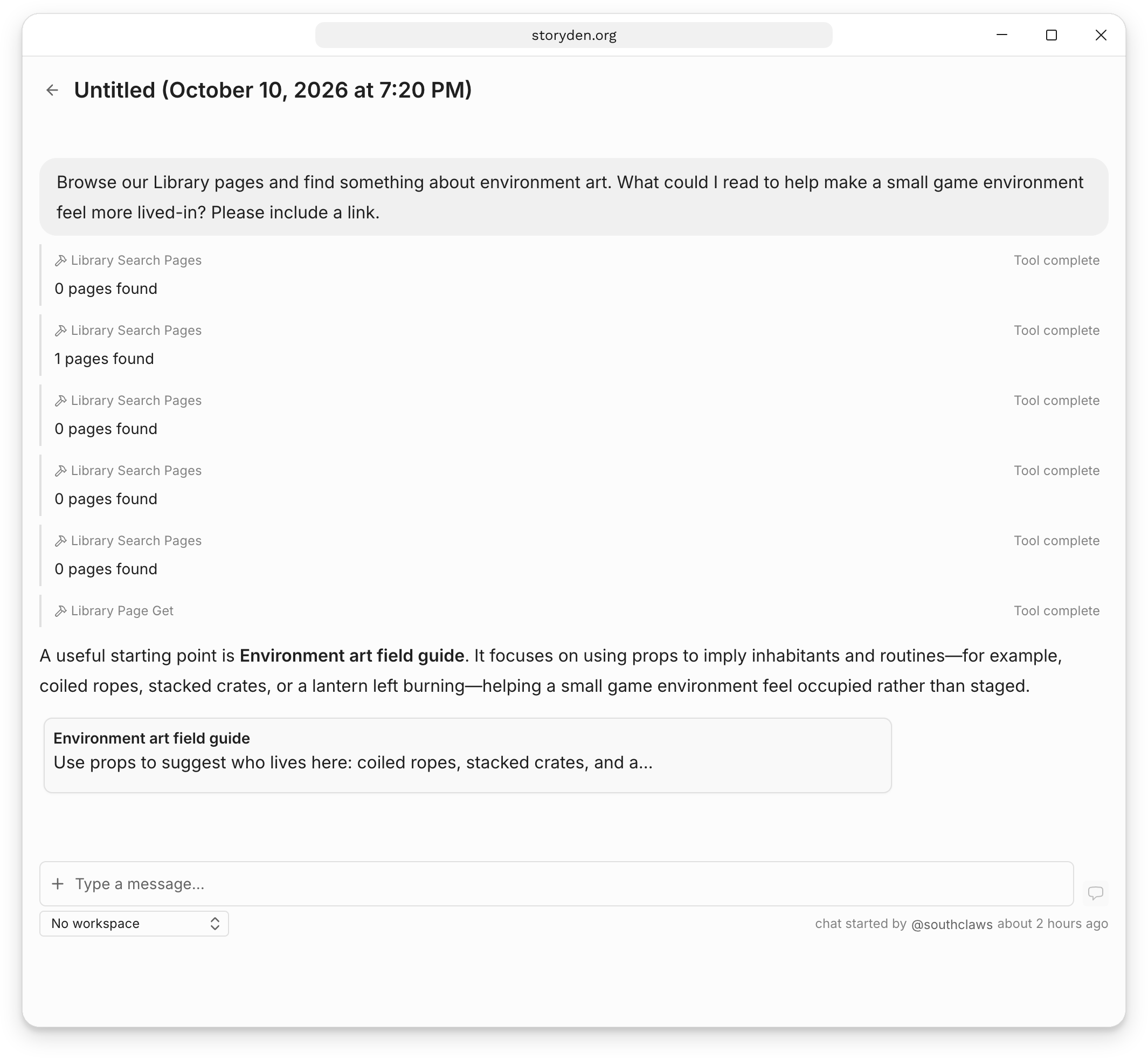
Denbot is the built-in starting point for conversations. It can discover tools and delegate focused tasks to specialist Robots. You can reach it from anywhere in Storyden with Ctrl+K (Cmd+K on macOS), then choose Robot Chat from the command palette.
A custom Robot keeps a playbook, model and tool selection together for a repeatable job. Toolsets bundle capabilities and instructions that several Robots can reuse.
Robots can also use tools supplied by plugins, and plugins can call Robots. See Connections and plugins for how these directions fit together.
Get started
1. Set up Robots
Configure a provider, choose a model and assign access to your team.
2. Chats and Denbot
Try a conversation and inspect its tools and sources.
3. Create a Robot
Give a specialist a focused playbook and the tools it needs.
Tools and Toolsets
Choose capabilities and reuse them across Robots.
For a complete workflow, try the Cookbook's weekly reading list, Library page review, or discussion digest. Each combines a Robot with a Trail using Storyden's built-in tools.