Chats and Denbot
Start a conversation, inspect tool activity and work with specialists.
With setup complete, you can start using Denbot without creating a custom Robot.
Open Robots → Chats → New, or use New chat in the Robots navigation. New conversations use Denbot, Storyden's built-in Robot. Describe what you want to do in ordinary language, with a link to a page or thread if you have a particular piece of content in mind.
Chat from anywhere
Press Ctrl+K (Cmd+K on macOS) to open the command palette from anywhere in Storyden.
- Type your message directly: if it doesn't match any commands or search results, press Enter to send it to Denbot and start a session.
- Choose Robot Chat first: if your message matches an existing item, clear the input and select Robot Chat, then type your message and press Enter. Otherwise, Enter opens the highlighted command or search result.
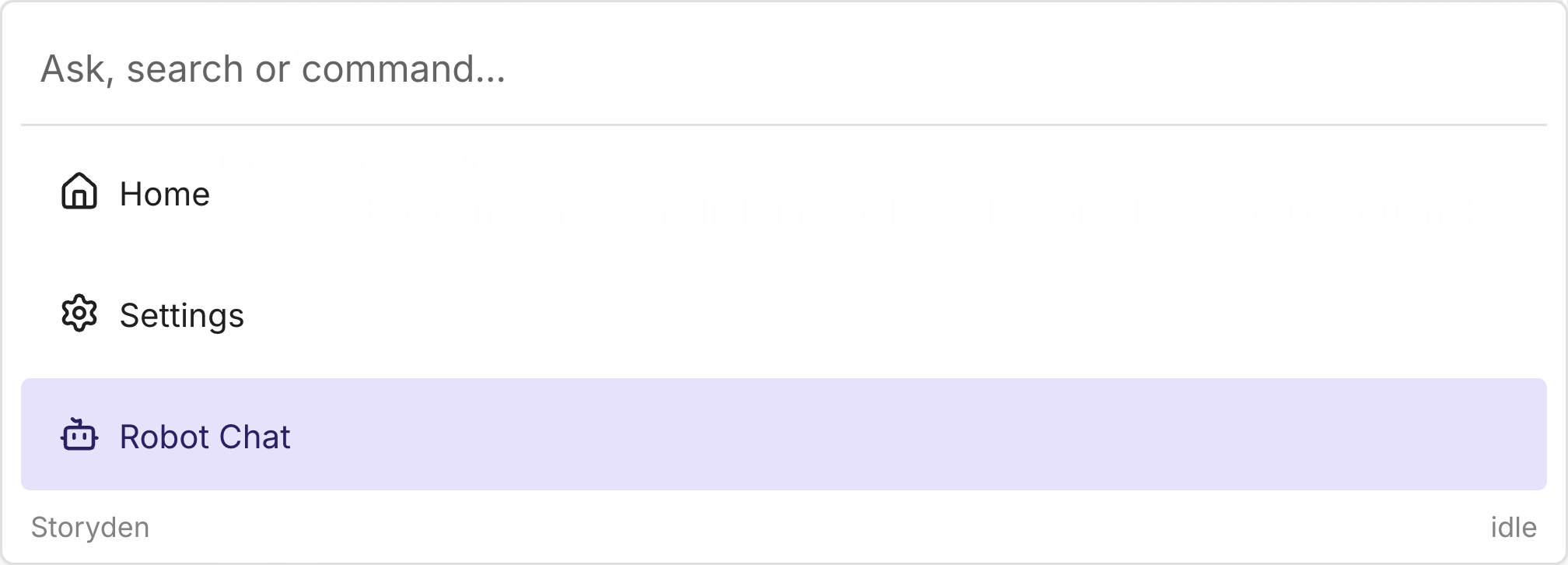
The palette also provides site navigation and content search. See the command palette guide for those features and keyboard controls.
Working in a chat
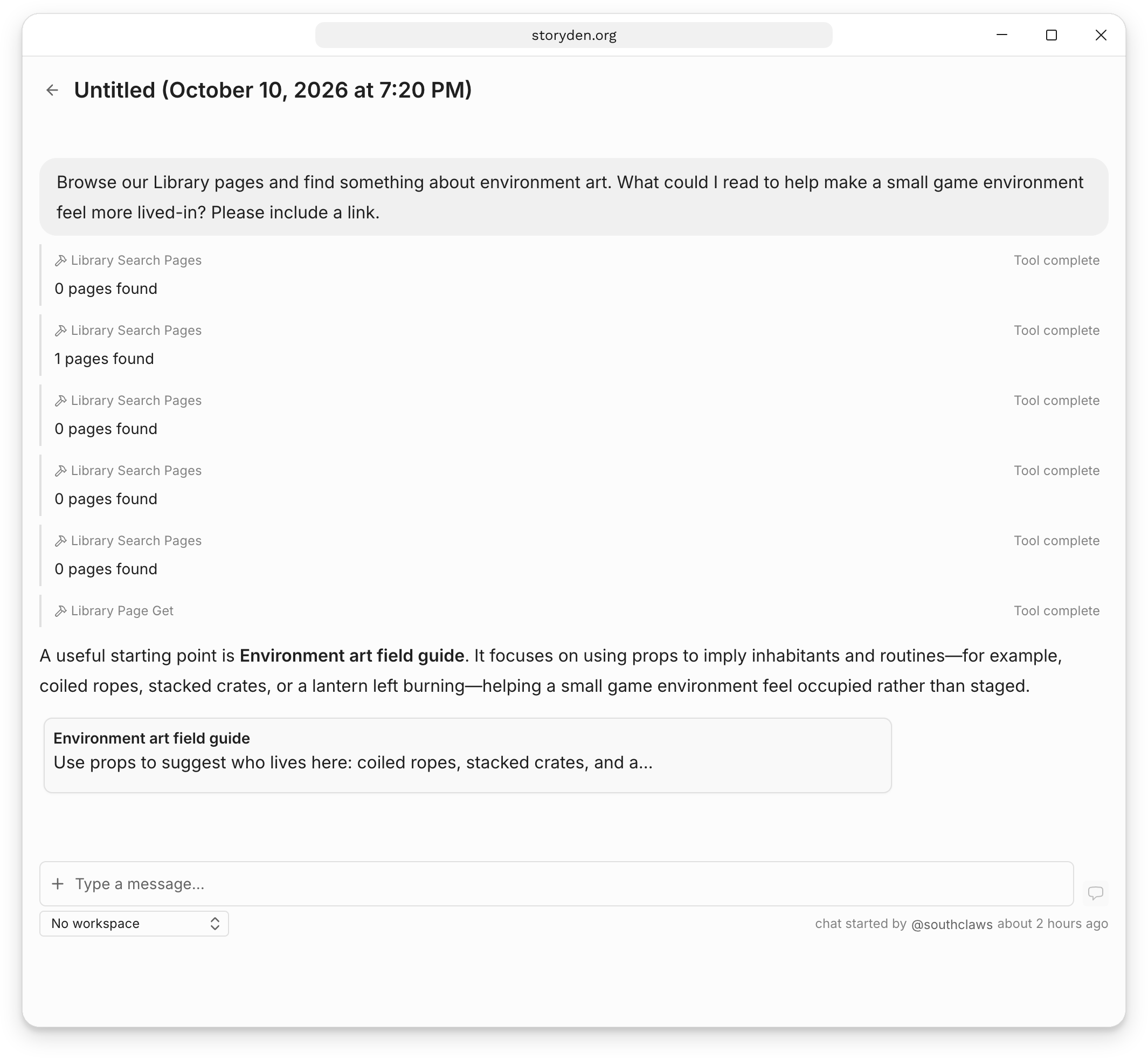
For example, you could ask it to find reading about typography in the Library, summarise a long discussion, or help organise a collection of useful links. Denbot can discover tools and ask specialist Robots for help as it works. The conversation stays with Denbot, which brings their results back into its answer.
Tool calls appear in the conversation. Open a tool's details to see what was requested and what came back, and follow linked pages to read the source. You can ask follow-up questions in the same chat, or return to it later from Chats.
The example below is a conversation with a custom Community librarian, using the Library's search and page-reading tools.
Robot group chats
Multiple members can participate in the same session at the same time. Open the same chat to ask questions, add context and work through the Robot's responses together.
Each session has one Robot as its conversation partner, chosen when the chat starts. Denbot can still delegate tasks to specialists, bringing their results back into the shared conversation.
Robot conversations are shared within the community's Robot area. Members with the Use robots permission can read other members' sessions and messages; these are not private chats.
Working with specialists
Denbot can find custom Robots by their descriptions and delegate focused tasks to them. The visible conversation stays with Denbot. To try a particular Robot directly, open its configuration and choose Test Robot.
The Robot selected at the start remains the root of that session. Start a new chat to work directly with a different Robot.
For a repeatable task with its own instructions and tools, continue to Create a Robot.