Tools and Toolsets
Choose individual operations or reuse a bundle of tools and instructions.
A tool is an operation a Robot can call: reading a page, searching threads, or creating a report, for example. A Toolset groups related tools with an optional instruction explaining how to use them together.
Storyden includes Toolsets for content search, Library and discussion management, moderation, web research, and other tasks. Open Robots → Toolsets to inspect their descriptions, instructions and tools.
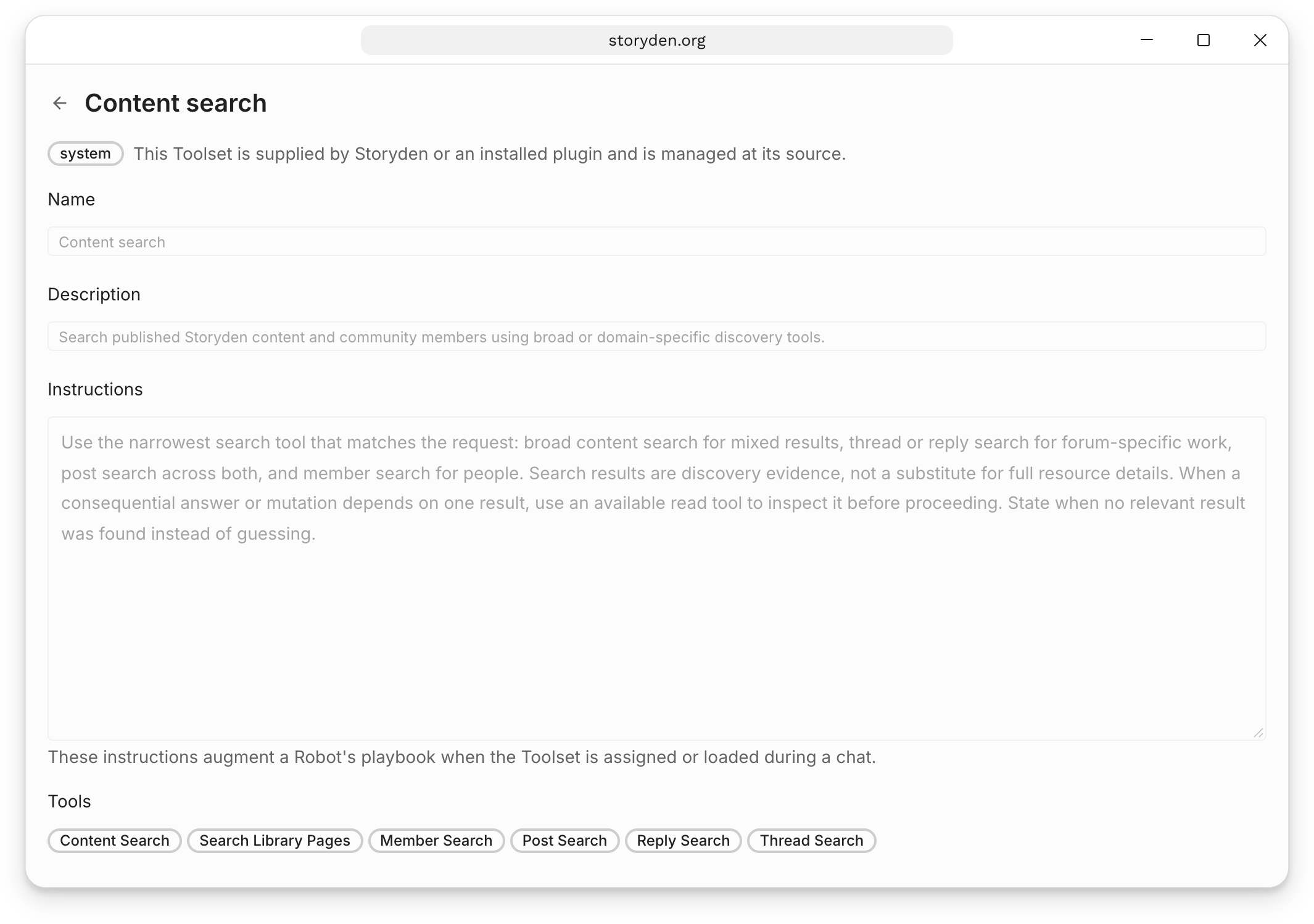
Assign a Toolset when a Robot needs the whole capability. Use Individual tools when it only needs a few operations. Tools already supplied by a selected Toolset are omitted from the individual picker to avoid duplicates.
Denbot can discover and load Toolsets during a conversation, so you do not need to create a custom Robot for every task. Custom Robots are useful when you want to keep a particular playbook, model and tool selection together.
Create your own Toolset
Choose New Toolset, give it a name and description, write any shared instructions, and select its tools. Other Robots can then reuse it. A description such as “Read Library pages and prepare a source-linked reading list” is more useful for discovery than “My tools”.
Custom Toolsets are shared, with editing controlled by their author and Robot management permissions. Built-in and plugin Toolsets are managed at their source; connected MCP Toolsets are managed in Robot settings. A custom Toolset cannot be deleted while a Robot still references it.
Choosing tools for reading and summarising
A reading list or discussion digest needs more than a list of titles. The Robot needs tools to find relevant content, open it, and read the parts needed to answer your request.
For a Robot that only needs to read, select these Individual tools for its sources:
| Source | Individual tools |
|---|---|
| Library pages | List Library Pages, Get Library Page, Open Library Page |
| Discussions | List Threads, Get Thread, Open Thread |
Also assign the Document exploration Toolset. The List and Get tools help the Robot find sources and inspect their details. The Open tools make their content available to read. Document exploration lets it read beyond the opening preview, inspect replies, and search within a source. This selection gives it reading capabilities without adding editing or publishing tools.
Both listing tools support requests for the latest content or content created within a particular period. You can describe that period in your playbook or chat request; the Robot supplies the date filters. These requests use the original creation date, so editing an older page or replying to an older discussion does not make it new.
When testing your Robot, ask something whose answer is in a page's body or a discussion's replies. Open the tool activity to check which sources it read, then compare its answer with those sources. If it relies only on titles or descriptions, check that the Open tool and Document exploration are assigned, and that its playbook asks it to read the sources before summarising them.
The weekly Library reading list and discussion digest recipes provide complete setups to try. For help checking date filters and pagination in a tool call, see listing recent content.
Connections explains tools supplied by MCP servers and plugins, and when a workspace is needed.