Create a Robot
Give a specialist a playbook, model and focused set of tools.
Complete Robot setup first. You need the following permissions: Manage robots to create a Robot and Use robots to test it.
A custom Robot combines a playbook, a model, and a set of tools. This is useful for a job with a consistent purpose: a Library curator, a discussion summariser, or a helper familiar with your community's guidelines.
Open Robots → New Robot and fill in the following:
- Name: a short name that makes the Robot easy to recognise.
- Description: what it does and when it is useful. Denbot also uses this description when finding specialists.
- Playbook: the instructions it should follow whenever it runs.
- Model: an available model from your enabled providers. Leave this unset when creating a Robot to use the configured default.
- Toolsets and Individual tools: the capabilities it needs for its job.
Choose Create, then Test Robot to start a conversation directly with your specialist. Testing it this way lets you check its answers and tool use before using it in a Trail.
Writing a playbook
A useful playbook explains the job, the sources to use, and what a good result looks like. Include how to handle missing information, rather than leaving the Robot to fill in the gaps.
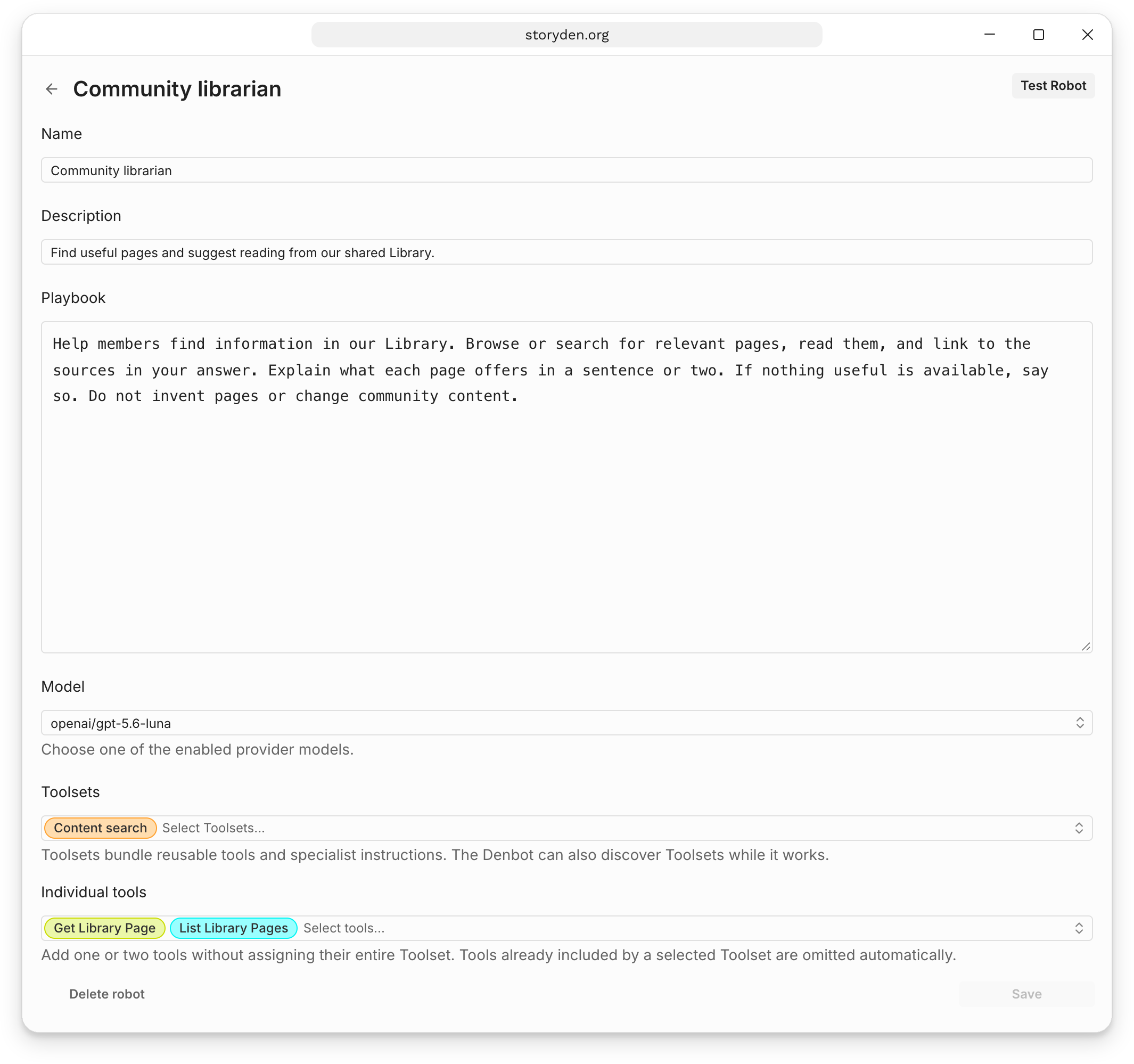
Our Community librarian uses this playbook:
Help members find information in our Library. Browse or search for relevant
pages, read them, and link to the sources in your answer. Explain what each
page offers in a sentence or two. If nothing useful is available, say so.
Do not invent pages or change community content.
The configuration above combines Content search with Get Library Page and List Library Pages. For reading full page bodies, also add Open Library Page and the Document exploration Toolset. These let the Robot open a page and inspect sections beyond its initial preview, without granting Library editing tools.
The playbook is guidance for the model. Tool selection and account permissions provide the actual limits on what it can do. For a Robot that only needs to read, assign reading tools rather than relying on a sentence asking it not to make changes.
Put it to work
Test a request with a known answer, then try a request where information is missing. Inspect the tool calls as well as the final answer. Revise the playbook or tools if the Robot makes assumptions the job does not allow.
Use Trails when the tested task should run automatically. The weekly reading list recipe walks through the Robot and Trail together.