Autofill
Autofill resource properties using language models.
Storyden offers optional AI tools for suggesting and filling resource properties. The forum and Library work without enabling these tools.
These features can be enabled by configuring a language model provider but does not require configuring the Semdex (vector database.)
Autofill features are available for various APIs and through the UI.
For conversational help with content or tasks that use several tools, see Robots. To run a Robot on a schedule or in response to an event, see Trails.
UI
Open a Library page and choose Edit → Quick edit. With a language model provider configured, the editor offers:
- Suggest a title for this page, beside the title.
- Suggest tags for this page, in the Tag list block.
- Import, beside the URL in an External link block.
Use Add Block if the page does not yet have a Tag list or External link block.
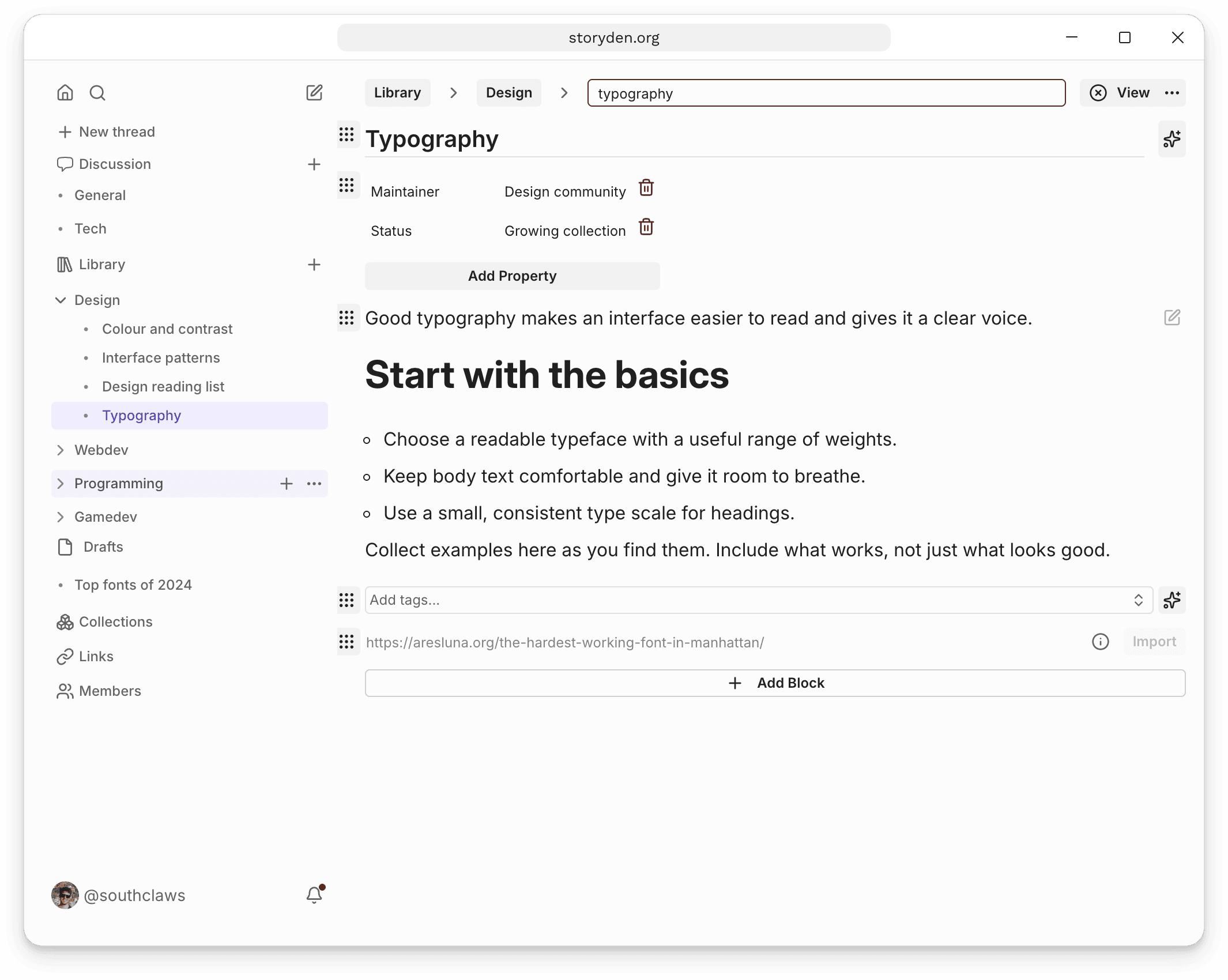
"Import" will attempt to import everything from the provided link. This will set a title, tags, description and summarised content based on the web page.