Troubleshooting
When things aren't going as smoothly as Storyden should be...
Den Doctor helps you check the addresses used by your Storyden installation. It appears before the first account is created, and administrators can open it later in Admin → System settings.
Open Show configuration details to compare the configured website and API addresses with the address in your browser. Change the environment variables in your deployment configuration, then recreate the container with the updated configuration. For Docker Compose, run docker compose up -d after saving your changes.
These checks compare configuration values. They do not test DNS, certificates or whether your reverse proxy can reach Storyden. The screenshots below use isolated local Docker installations; their .test hostnames and ports are examples.
Your website and API use different connection types
If the website uses https:// while the public API uses http://, the browser can block API requests as mixed content. Switching the other way can also prevent the browser from using the sign-in cookie.
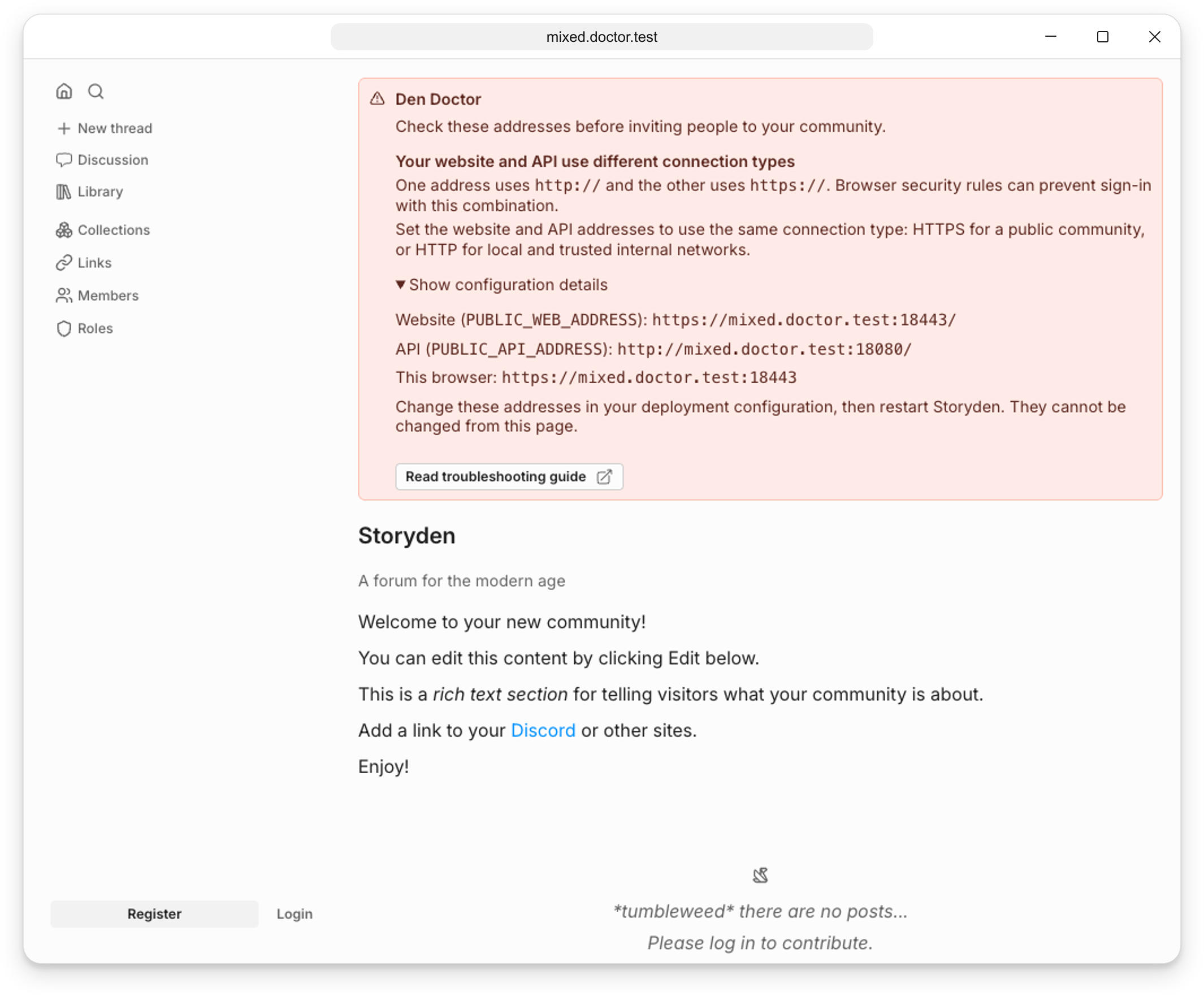
Use HTTPS for both public addresses:
PUBLIC_WEB_ADDRESS=https://community.example.com
PUBLIC_API_ADDRESS=https://api.community.example.com
For local or trusted internal use, both public addresses can use HTTP. SSR_API_ADDRESS is separate: it can use HTTP inside your container network even when the public addresses use HTTPS. The full-stack image sets this internal address automatically.
Your API address points to the visitor’s computer
A public API address containing localhost, 127.0.0.1 or ::1 points to the computer running the browser. It does not point to the machine hosting Storyden for a remote visitor.
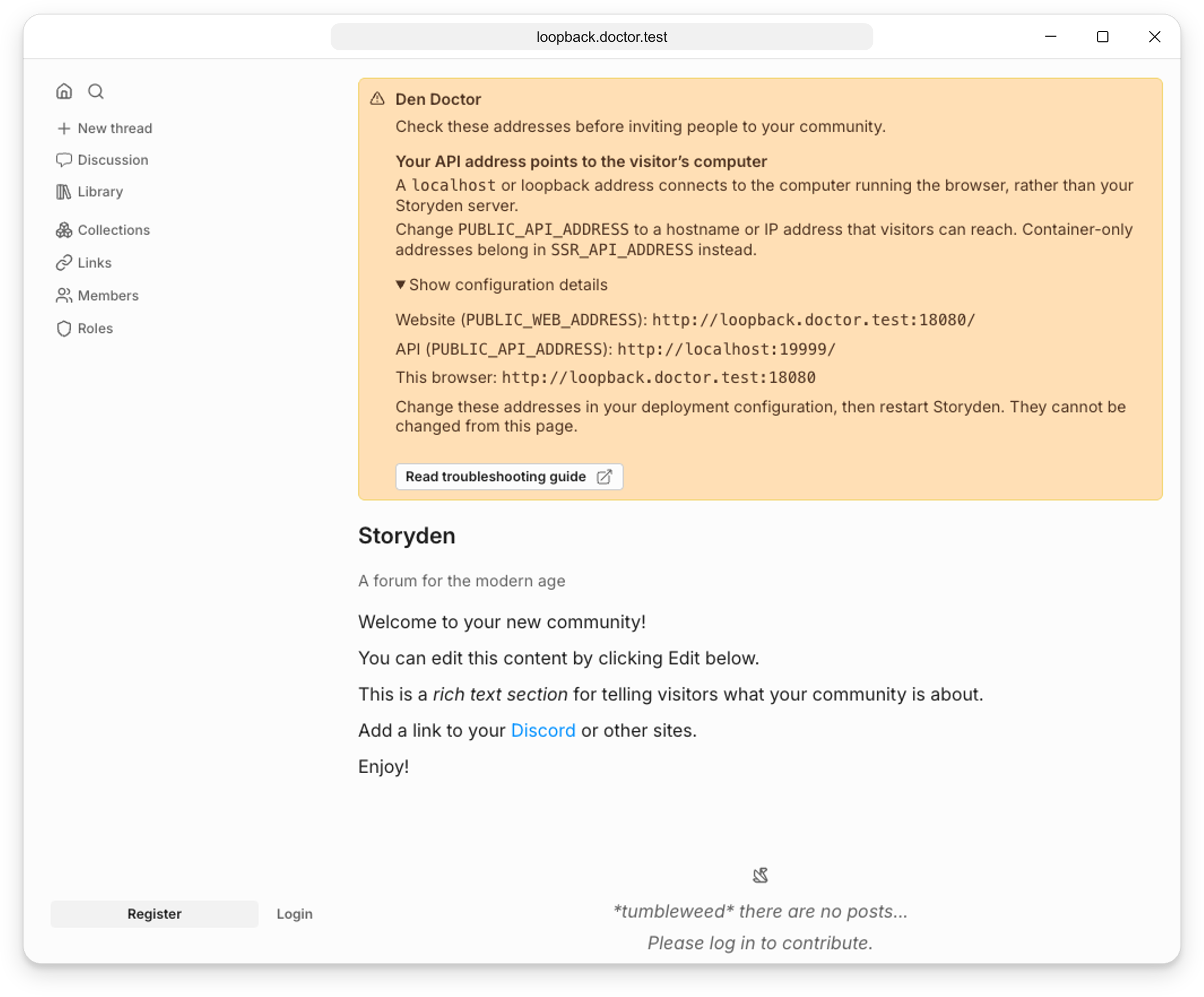
Set PUBLIC_API_ADDRESS to a hostname or IP address that your visitors can reach. For example, a community on your local network might use:
PUBLIC_WEB_ADDRESS=http://192.168.1.50:8000
PUBLIC_API_ADDRESS=http://192.168.1.50:8000
Container names and internal addresses belong in SSR_API_ADDRESS, rather than PUBLIC_API_ADDRESS.
Your website and API cannot share the sign-in cookie
Storyden needs the sign-in cookie on requests to both the API and the website. The website uses it when rendering signed-in pages on the server.
Separate sibling hosts
With www.community.example.com for the website and api.community.example.com for the API, Storyden’s current cookie is scoped to the API hostname. It does not reach the website.
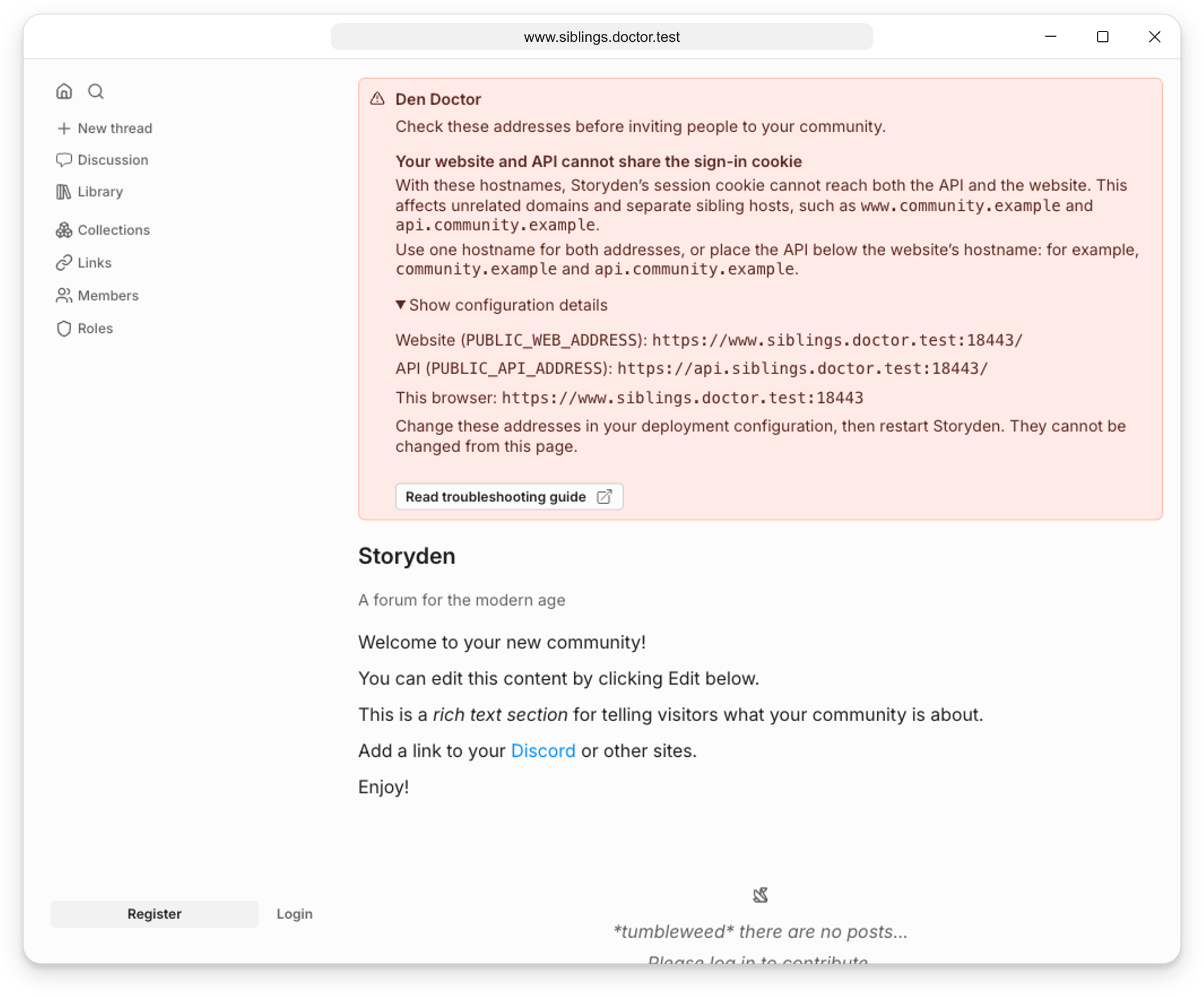
Use the same hostname for both addresses, or make the API a subdomain of the website’s hostname:
PUBLIC_WEB_ADDRESS=https://community.example.com
PUBLIC_API_ADDRESS=https://api.community.example.com
Unrelated domains
A website on community.example.com cannot share Storyden’s session cookie with an API on api.example.org.
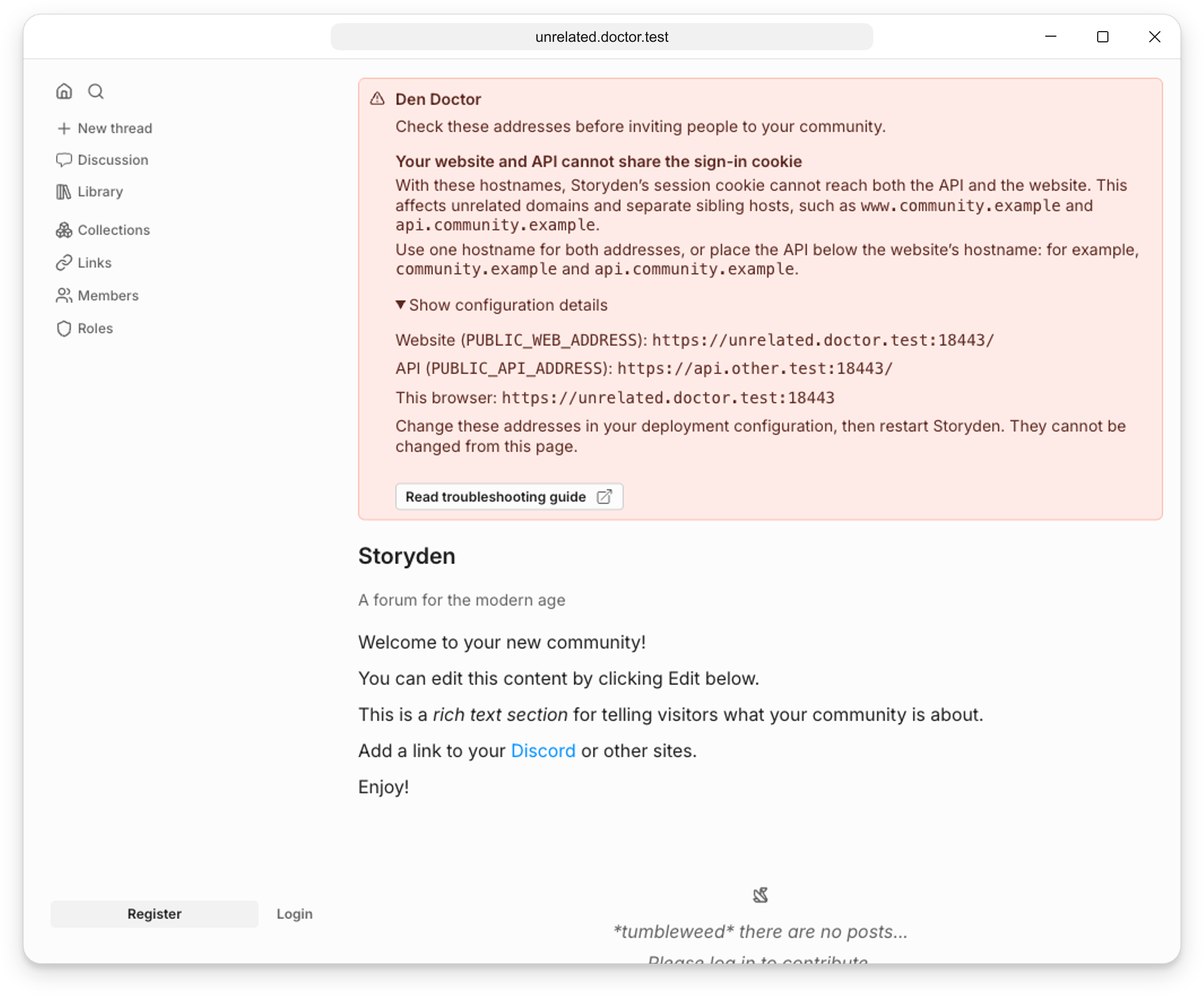
Move the API under the website’s hostname, or route both through one public hostname. Adding a CORS origin does not change which hosts receive a cookie.
You’re visiting a different website address
Your browser’s address must match PUBLIC_WEB_ADDRESS, including its scheme and port. An alternate hostname may load the website while sign-in requests from that origin are rejected.
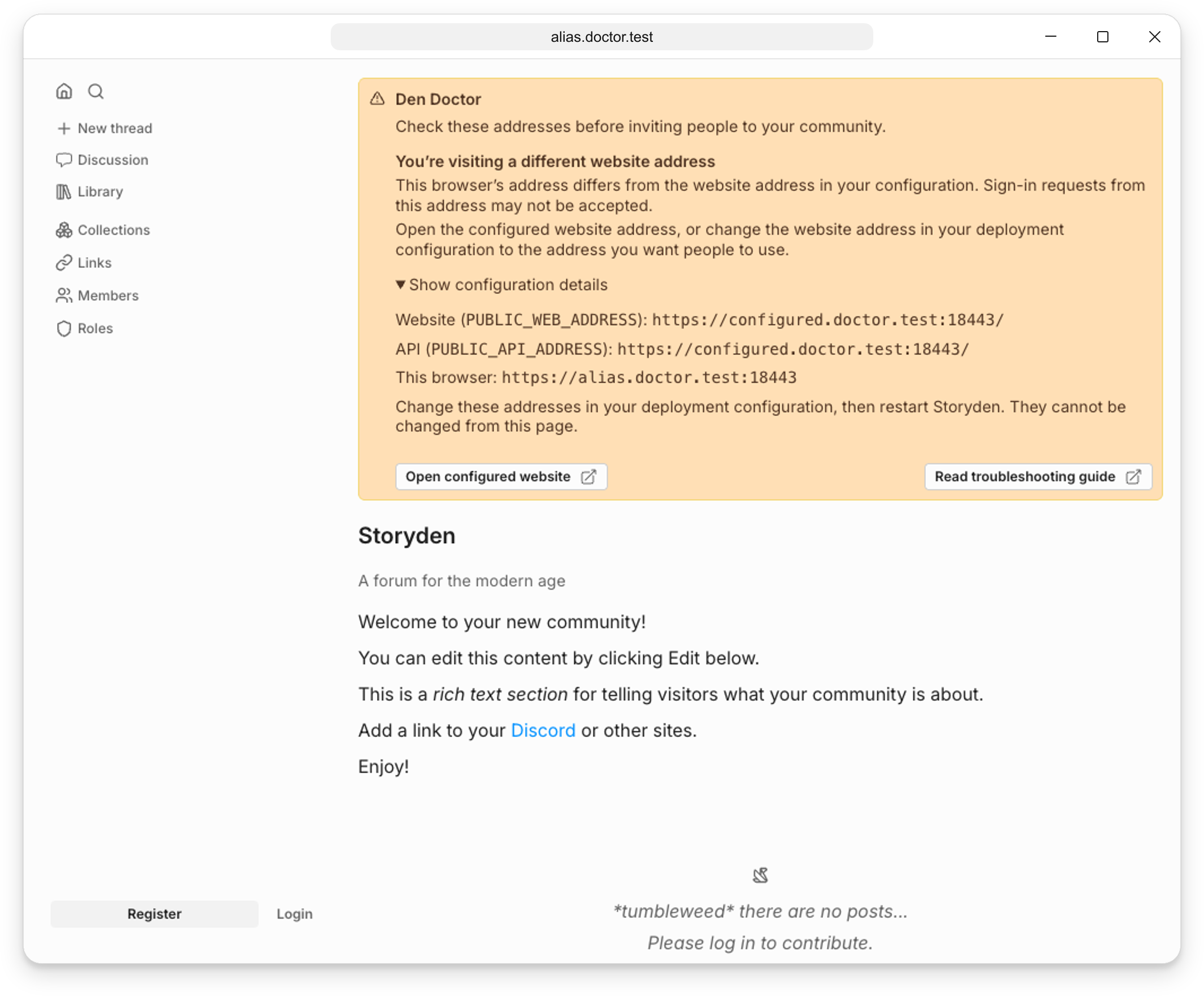
Choose Open configured website to use the configured address. If the address in your browser is the one people should use, update PUBLIC_WEB_ADDRESS instead. Redirect other website aliases to this address.
Your website address contains a sub-path
The supplied web app runs at the root of a hostname. Setting PUBLIC_WEB_ADDRESS=https://example.com/community does not move its pages and assets into /community.
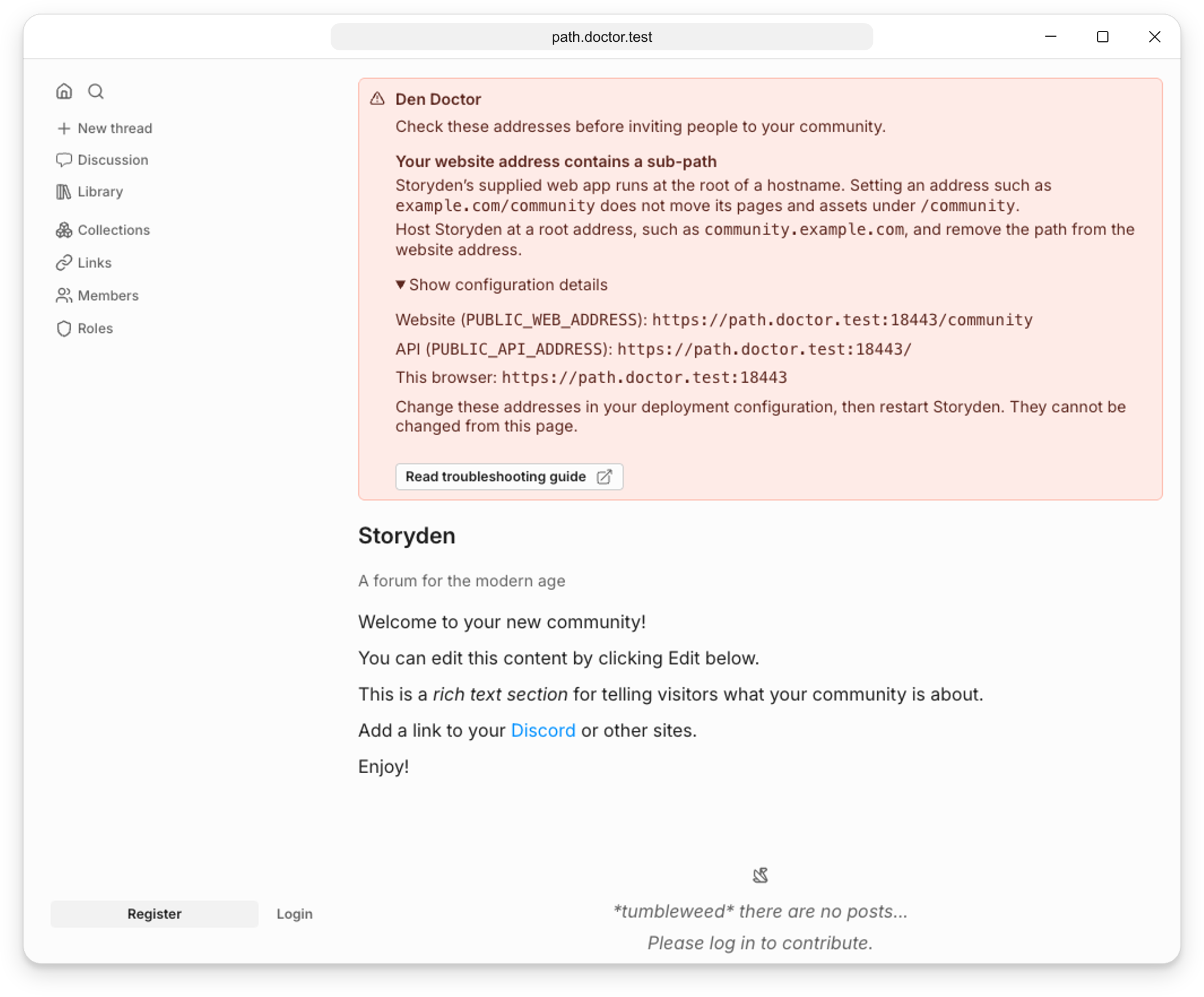
Use a dedicated hostname without a path, such as:
PUBLIC_WEB_ADDRESS=https://community.example.comIf the sub-path opens a not-found page, visit the hostname’s root to review the setup guidance.
Your API address contains a path prefix
Storyden adds /api to PUBLIC_API_ADDRESS. If you set the address to https://example.com/backend, API requests go to https://example.com/backend/api/.... The backend still serves its API at /api/....
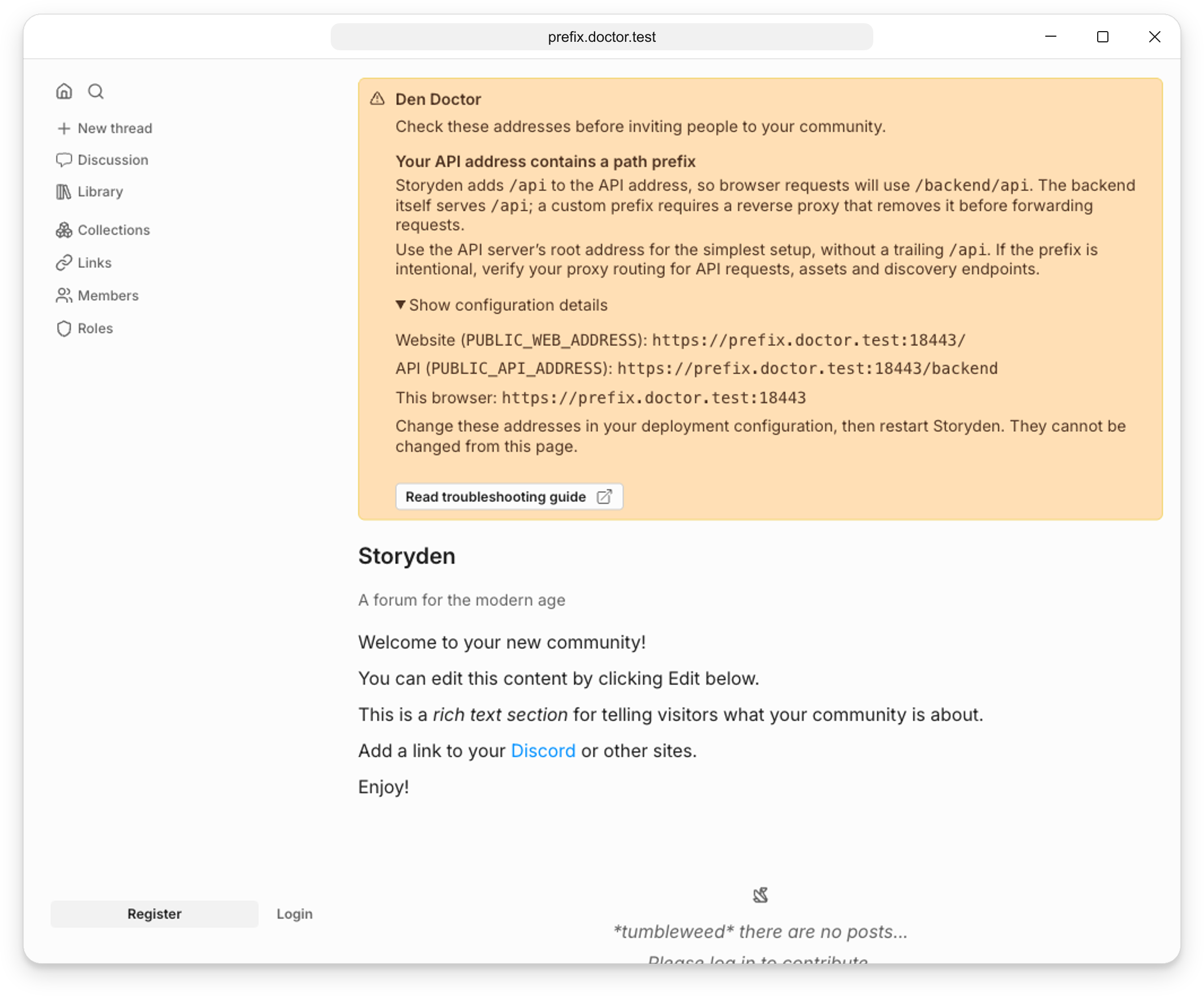
For the simplest setup, use the server’s root address, without a trailing /api:
PUBLIC_API_ADDRESS=https://api.community.example.comA custom prefix can work when a reverse proxy removes it before forwarding requests. This is a warning to check your routing. Configure asset and discovery routes as well as API requests.
Your public addresses contain a query or fragment
Public addresses should not contain a query string after ? or a fragment after #. These are not a way to configure Storyden’s API or website.
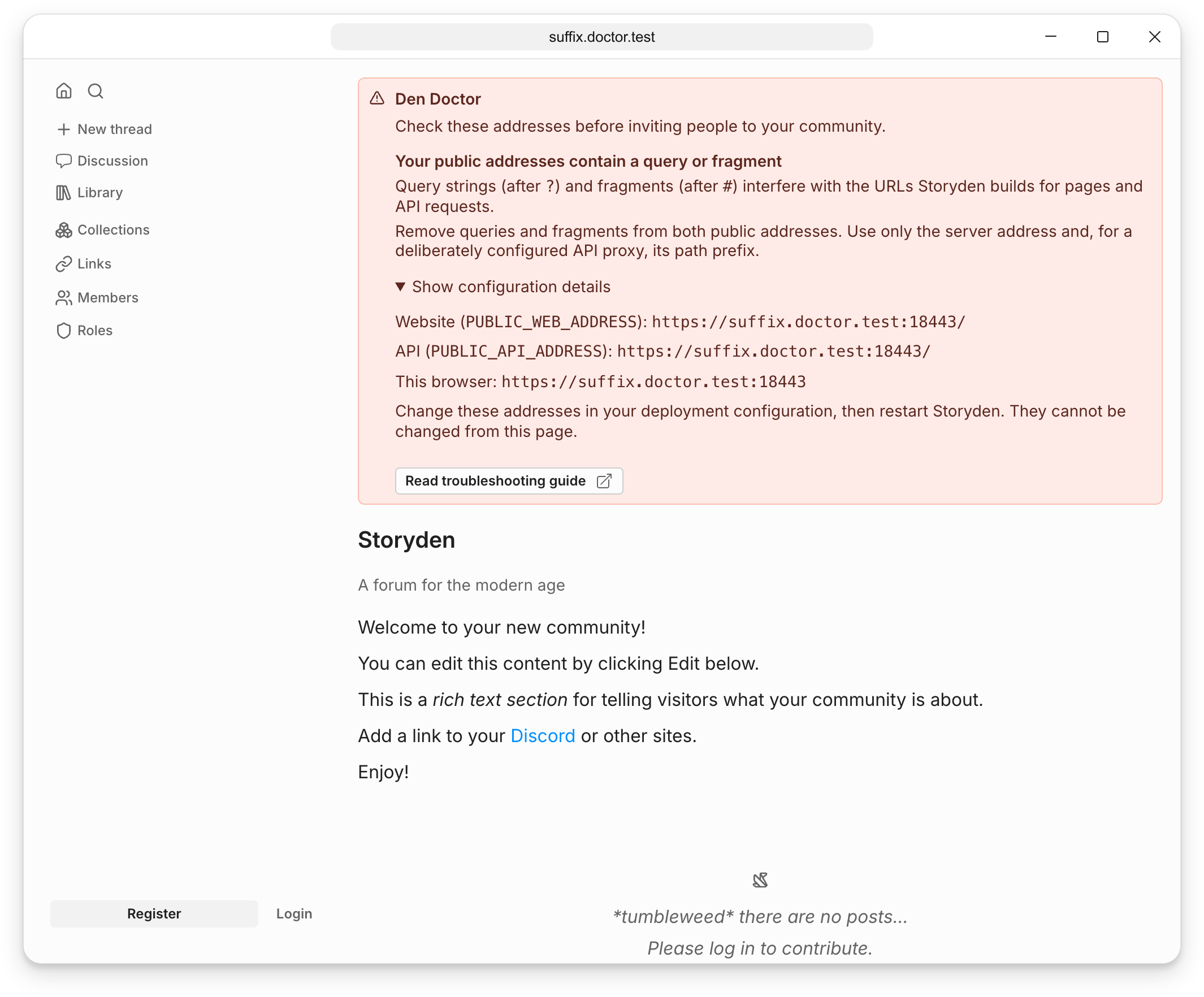
For example, replace https://api.example.com/?mode=api#community with https://api.example.com.
The website fails to start because an address is invalid
The web server validates PUBLIC_WEB_ADDRESS, PUBLIC_API_ADDRESS and any SSR_API_ADDRESS before accepting requests. The NEXT_PUBLIC_WEB_ADDRESS and NEXT_PUBLIC_API_ADDRESS overrides are checked when used, too.
An address must be a complete HTTP or HTTPS URL, such as https://community.example.com or http://backend:8000. Values such as community.example.com, /api and ftp://example.com are rejected, as are URLs containing a username or password.
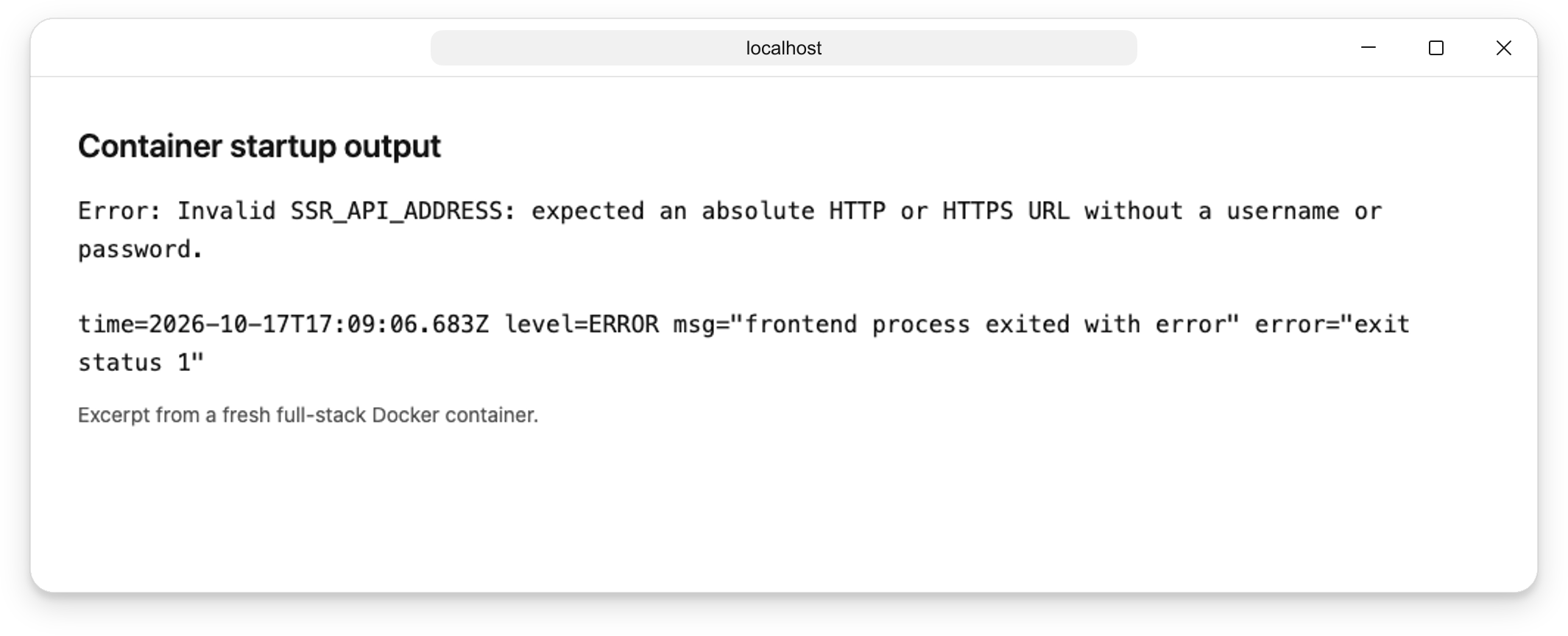
This image shows an excerpt from the container log, rather than an in-app message. In the full-stack image, the API process may still be running while website requests return 502 Bad Gateway because the frontend has exited.
Check the container logs:
docker logs storydenFor example, an invalid internal API address produces:
Invalid SSR_API_ADDRESS: expected an absolute HTTP or HTTPS URL without a username or password.The frontend exits with status 1. An invalid setting produces an error naming the variable to fix. The value itself is omitted from the error. Correct it in your deployment configuration and recreate the container. Den Doctor cannot display guidance until the website starts successfully.