Trails
Run community tasks on a schedule or when something happens, with results you can follow.
Trails run tasks without needing to start a conversation each time. A Trail connects a trigger to one or more Robot actions. When the trigger fires, each Robot receives its instruction and the results appear in run history.
On a fresh installation, set up Robots first. Then create your first Trail. Trails are intended for trusted members looking after the community; managing them requires the Manage Trails permission, and their Robot actions use the creator's current permissions and the community's configured model provider.
A regular task, or a response to an event
A schedule can prepare a weekly Library reading list or a discussion digest for your team. An event trigger can ask a Robot to review a newly published Library page. The task's instructions determine the outcome: producing a review does not automatically publish it or change the source content.
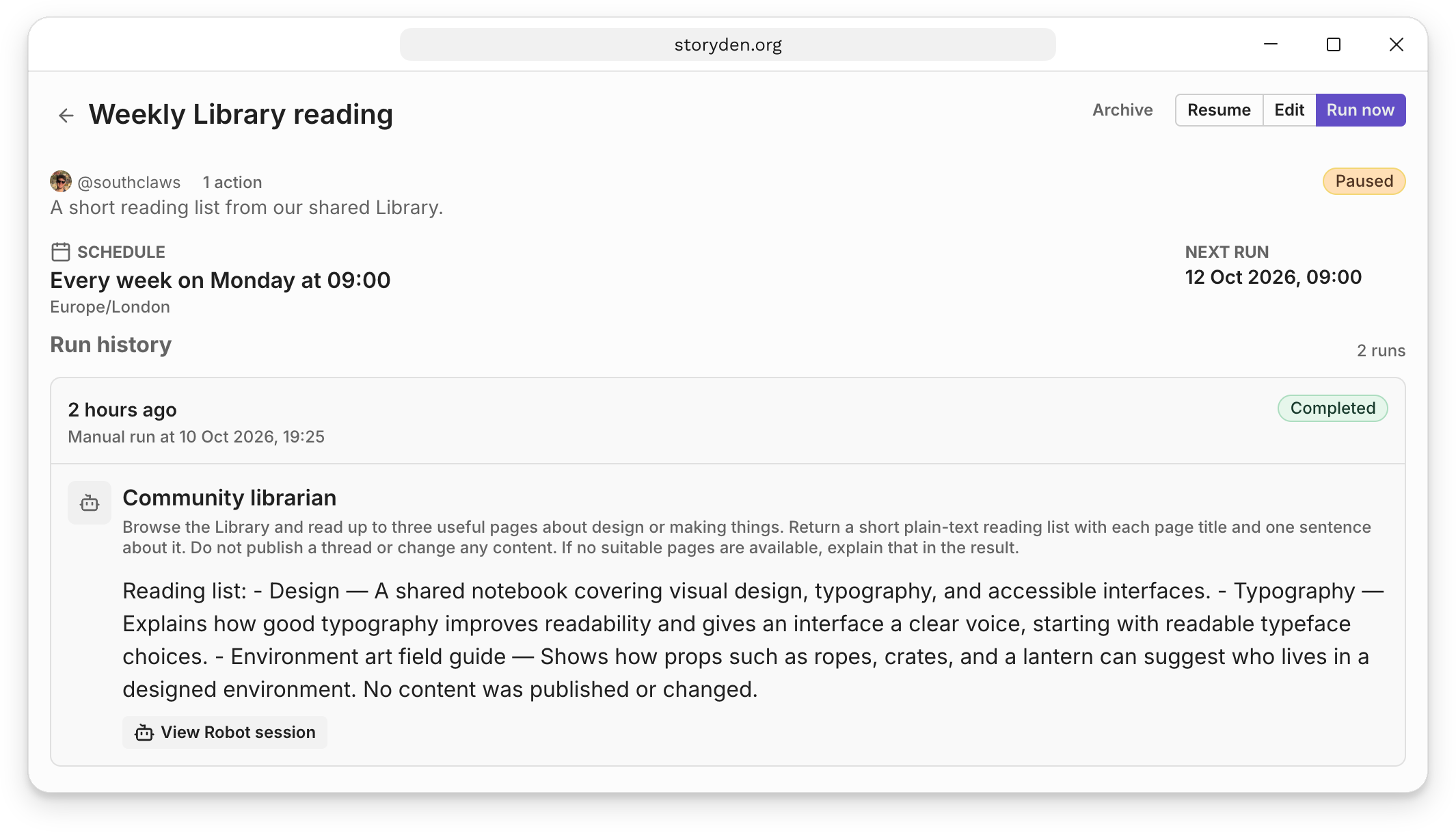
Each action starts a fresh Robot session. Multiple actions can respond to the same trigger independently; they do not form a sequence of steps. Results remain available in Run history, with a link to the Robot session behind each action. Blocked or failed actions notify the creator that attention is needed.
Get started
1. Your first Trail
Prepare a Robot, create a Trail and test it before leaving it active.
Schedules
Choose a cadence and timezone, then preview upcoming occurrences.
Event triggers
Respond to new content and other community events.
Runs and results
Inspect outcomes, handle failures, pause or archive a Trail.
The Cookbook has complete recipes for a weekly reading list, Library page review, and discussion digest. Start there if you want a concrete task to put together with your own community's content.